# How to stop icons from changing to symbolic when zooming out
**URL:** https://forum.opendesktop.org/t/how-to-stop-icons-from-changing-to-symbolic-when-zooming-out/21203
**Category:** Pling.com - Libre Publishing
**Created:** [October 12, 2025, 5:58pm UTC](https://forum.opendesktop.org/t/how-to-stop-icons-from-changing-to-symbolic-when-zooming-out/21203 "2025-10-12T17:58:44Z")
**Posts on this page:** 10
**Page:** 1
### Author:  [@foknhumans](https://forum.opendesktop.org/u/foknhumans)
#### Post date: [October 12, 2025, 5:58pm UTC](https://forum.opendesktop.org/t/how-to-stop-icons-from-changing-to-symbolic-when-zooming-out/21203/1 "2025-10-12T17:58:44Z")
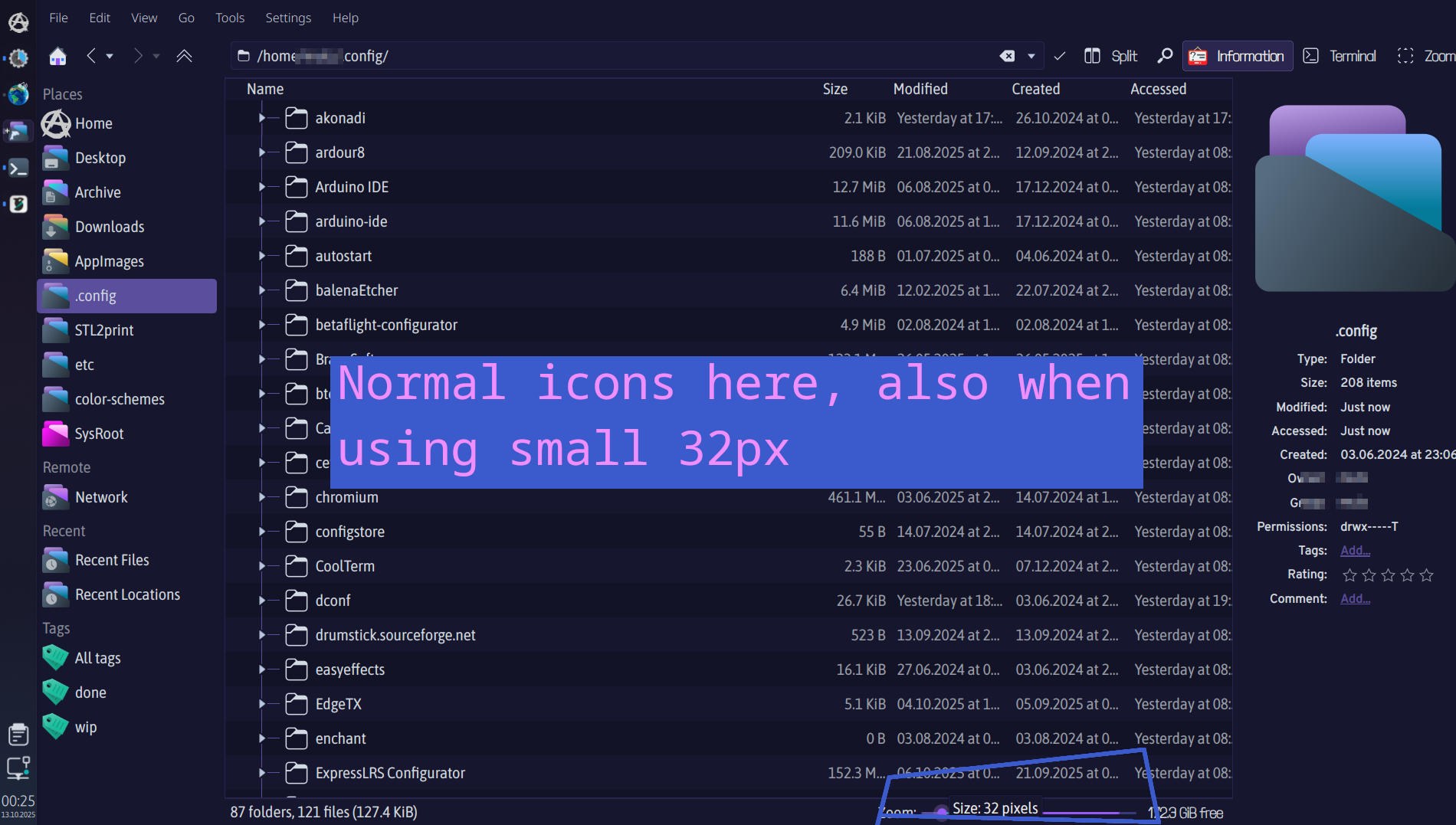
Im using PurPurNight theme by @l4k1 with Slot Dark icons under KDE Plasma 6. When zooming out in Dolphin the icons change from normal to symbolic when using smaller icons than 48px. This is in main view, not sidebar. I would love to use 32px icons in Dolphins details view without them changing to symbolic. Where do I change this?
---
### Author:  [@l4k1](https://forum.opendesktop.org/u/l4k1)
#### Post date: [October 12, 2025, 8:23pm UTC](https://forum.opendesktop.org/t/how-to-stop-icons-from-changing-to-symbolic-when-zooming-out/21203/2 "2025-10-12T20:23:02Z")
Hi [foknhumans](https://forum.opendesktop.org/u/foknhumans),
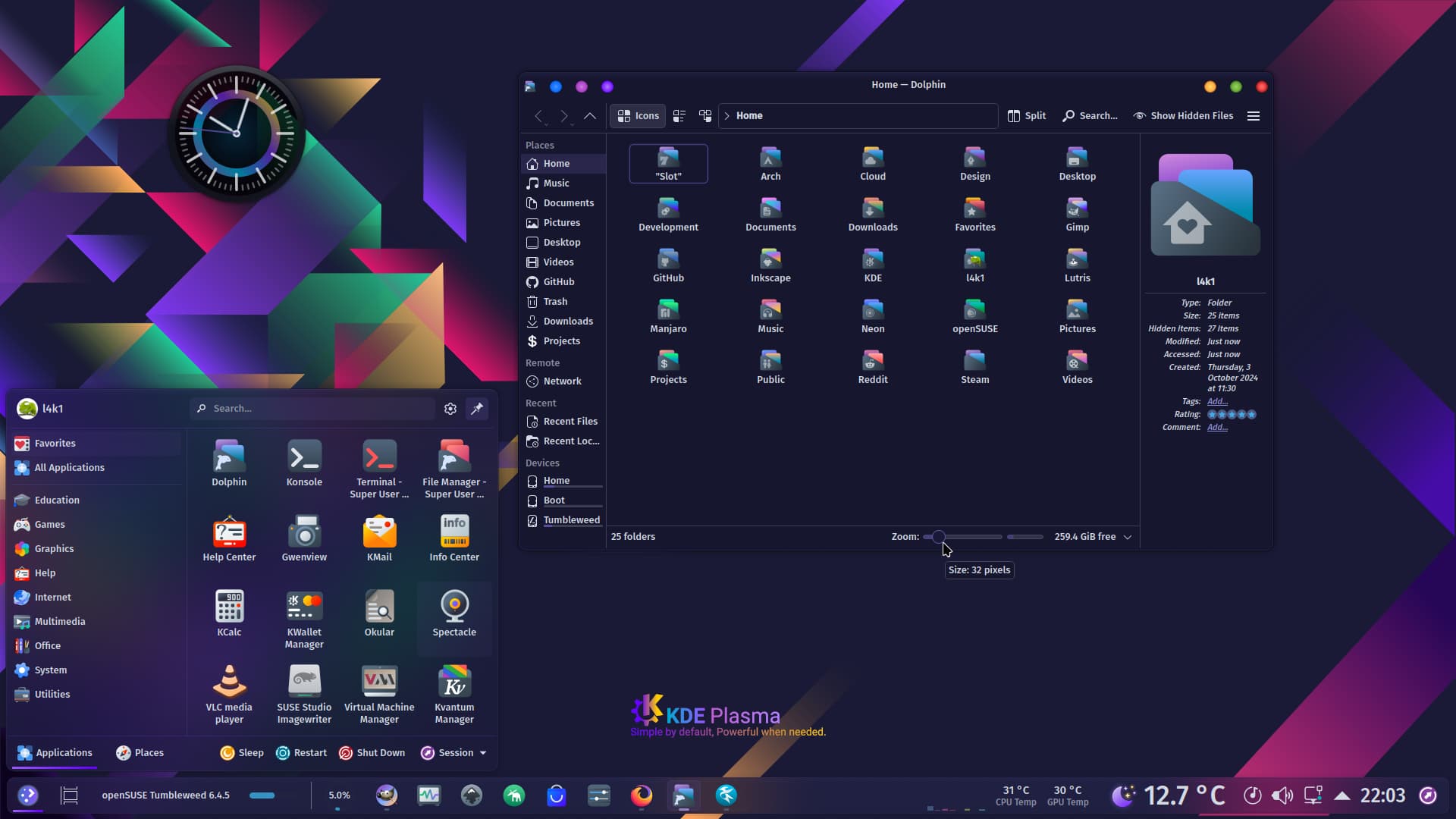
Screenshot 32 pixels:
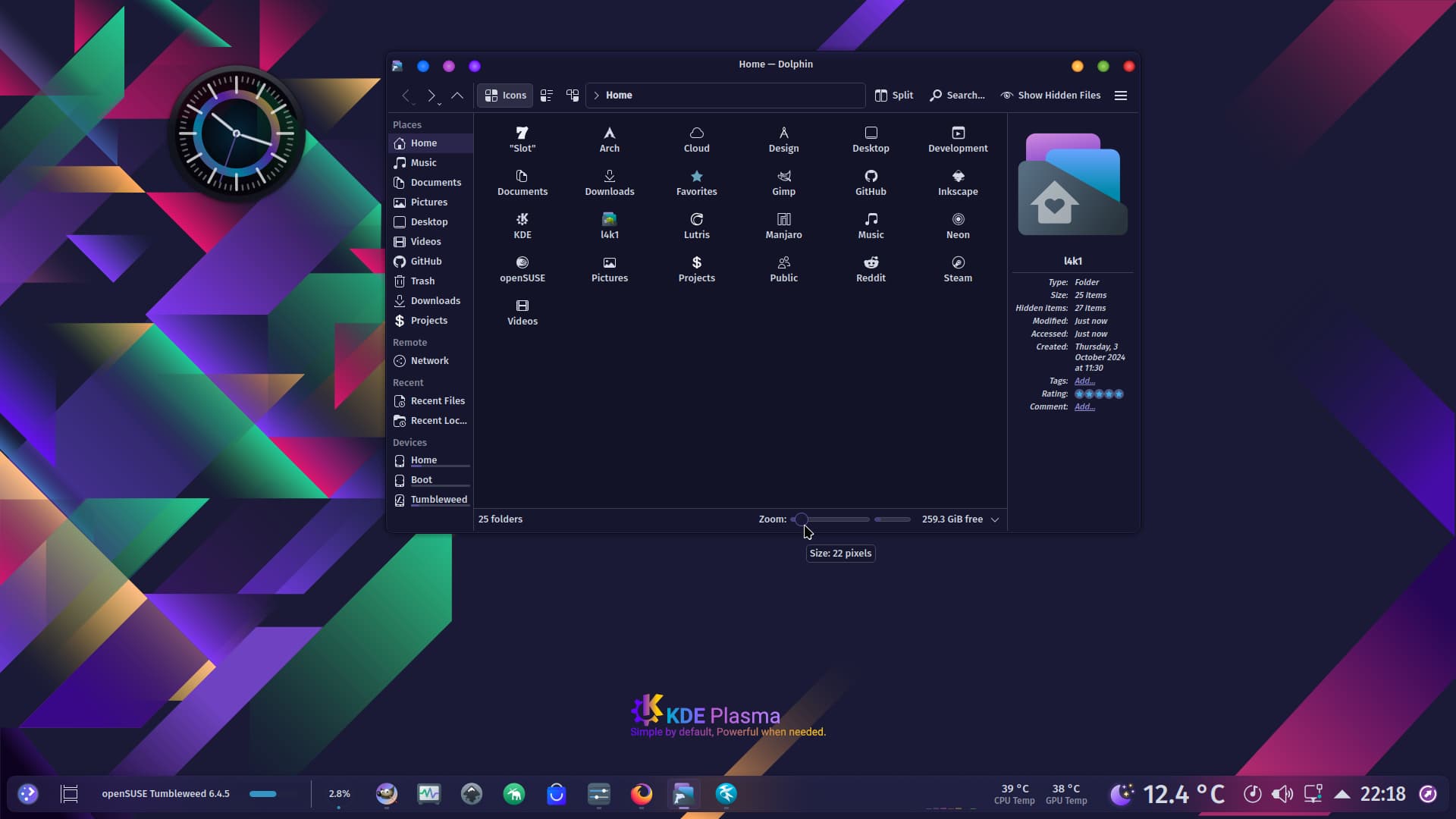
Screenshot 22 pixels:
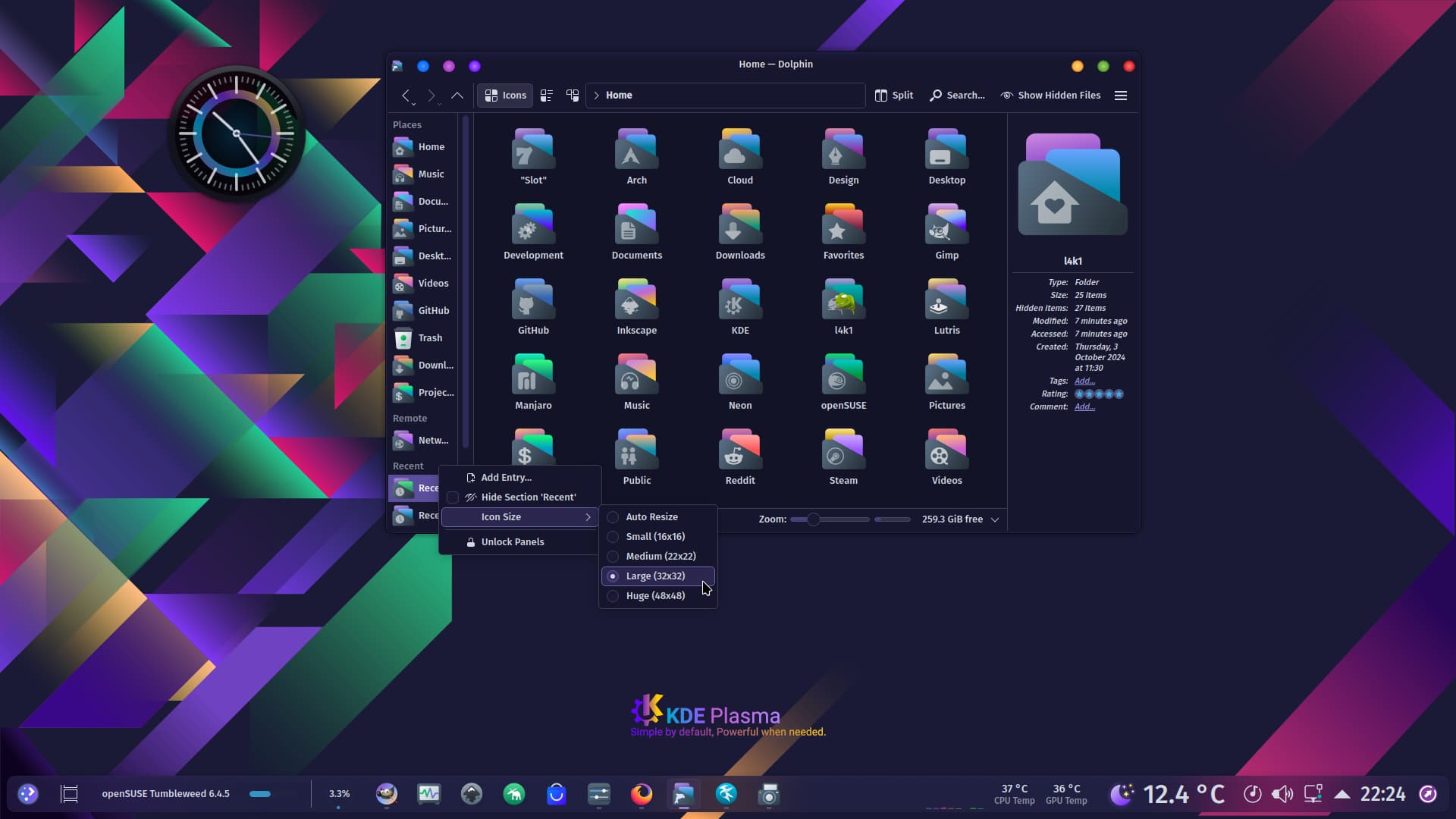
Sidebar:
---
### Author:  [@foknhumans](https://forum.opendesktop.org/u/foknhumans)
#### Post date: [October 12, 2025, 10:28pm UTC](https://forum.opendesktop.org/t/how-to-stop-icons-from-changing-to-symbolic-when-zooming-out/21203/3 "2025-10-12T22:28:28Z")
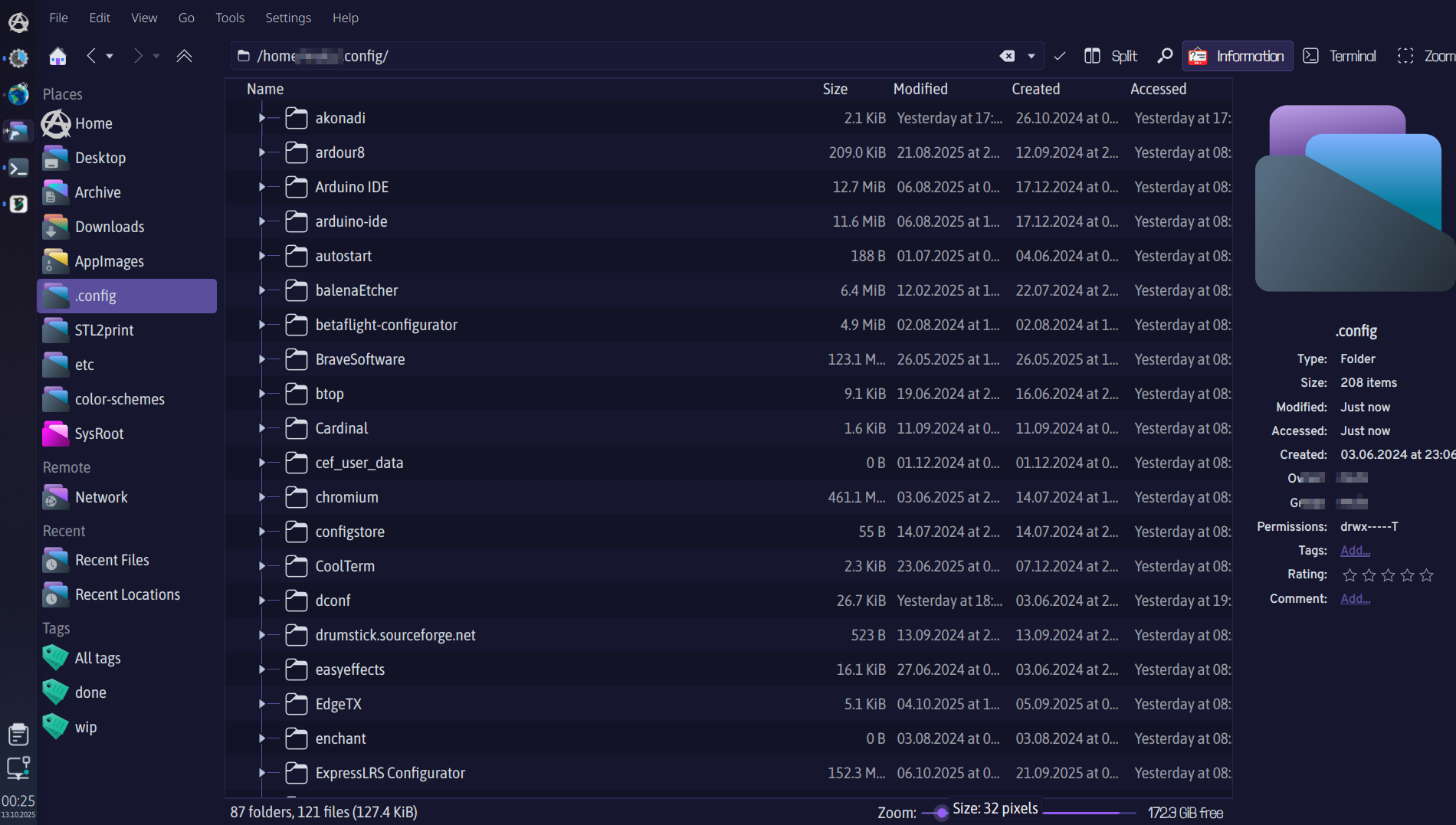
Thanks but you misunderstood me, I want to have normal icons in main window, also when using small icons. Is it possible to change a config file somewhere so that 32px is NOT symbolic when using Dolphin Details view mode.
---
### Author:  [@foknhumans](https://forum.opendesktop.org/u/foknhumans)
#### Post date: [October 12, 2025, 10:39pm UTC](https://forum.opendesktop.org/t/how-to-stop-icons-from-changing-to-symbolic-when-zooming-out/21203/4 "2025-10-12T22:39:15Z")
---
### Author:  [@l4k1](https://forum.opendesktop.org/u/l4k1)
#### Post date: [October 13, 2025, 8:37am UTC](https://forum.opendesktop.org/t/how-to-stop-icons-from-changing-to-symbolic-when-zooming-out/21203/5 "2025-10-13T08:37:21Z")
With me it looks like this:
Dolphin Details View Mode, 32px

---
### Author:  [@foknhumans](https://forum.opendesktop.org/u/foknhumans)
#### Post date: [October 14, 2025, 9:14am UTC](https://forum.opendesktop.org/t/how-to-stop-icons-from-changing-to-symbolic-when-zooming-out/21203/6 "2025-10-14T09:14:59Z")
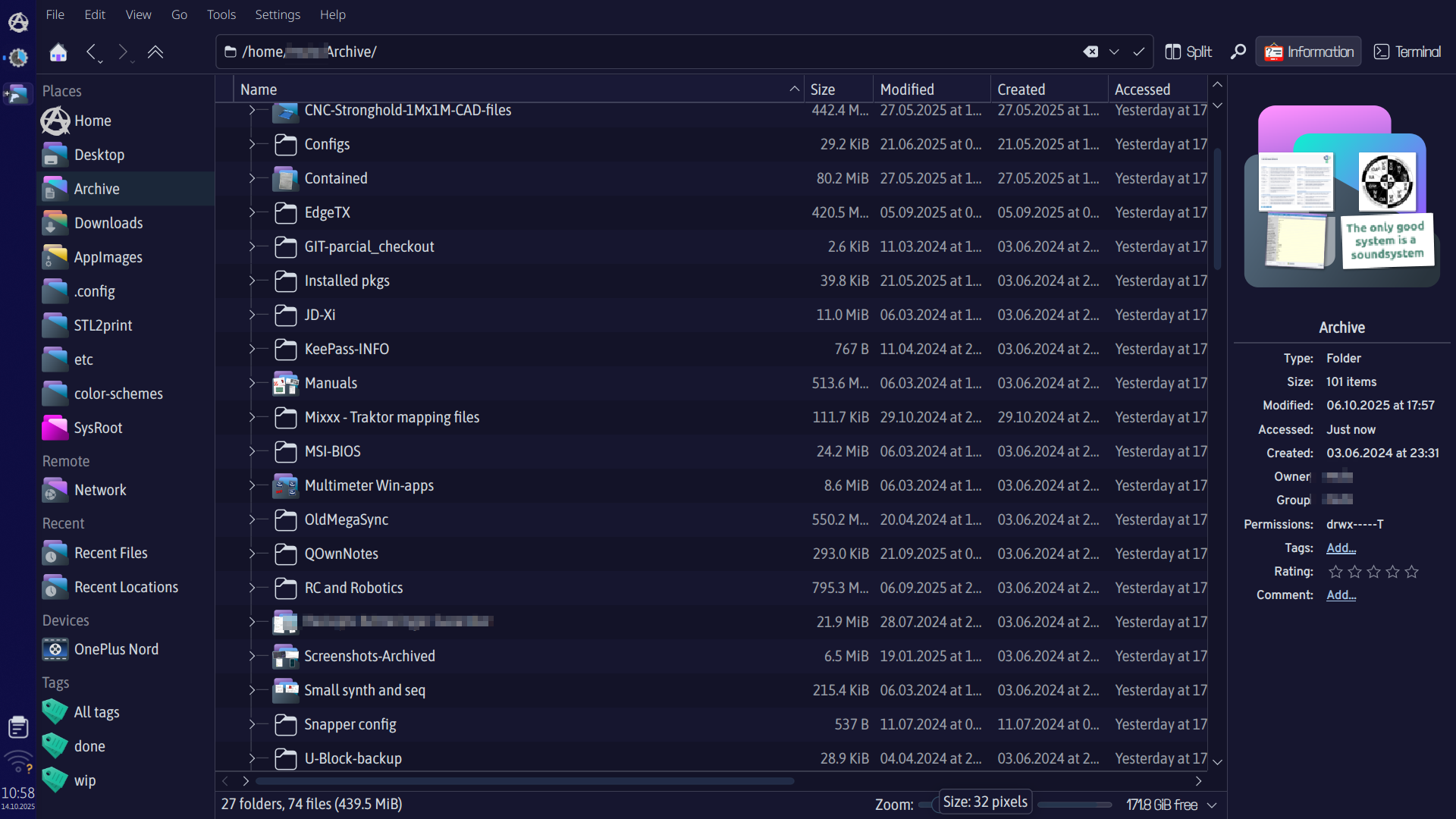
🤔So strange, mine is showing the preview folders only in Slot-Dark icons, even the sidebar is showing Slot icons at 32px, but not i main view. I have even tried to delete all icons, let system re-install Breeze icons and then I manually installed Slot icons, so those where the only 2 icon packs on my system, did a reboot- but still same results. (Arch,Wayland,Plasma6-all updated) Guess I just have to find me another icon pack as all others are behaving as expected at 32px. And thanks for all your awesome themes!
---
### Author:  [@l4k1](https://forum.opendesktop.org/u/l4k1)
#### Post date: [October 14, 2025, 11:04am UTC](https://forum.opendesktop.org/t/how-to-stop-icons-from-changing-to-symbolic-when-zooming-out/21203/7 "2025-10-14T11:04:09Z")
Try this: Show Hidden Files \> .local \> share \> icons \> Slot-Dark-Icons \> places \> Delete the folder 24 and folder symbolic
---
### Author:  [@foknhumans](https://forum.opendesktop.org/u/foknhumans)
#### Post date: [October 14, 2025, 2:46pm UTC](https://forum.opendesktop.org/t/how-to-stop-icons-from-changing-to-symbolic-when-zooming-out/21203/8 "2025-10-14T14:46:07Z")
That worked, Thank you so much! 🥰
---
### Author:  [@l4k1](https://forum.opendesktop.org/u/l4k1)
#### Post date: [October 14, 2025, 6:06pm UTC](https://forum.opendesktop.org/t/how-to-stop-icons-from-changing-to-symbolic-when-zooming-out/21203/9 "2025-10-14T18:06:03Z")
Nice to meet you, all the best.
---
### Author:  [@system](https://forum.opendesktop.org/u/system)
#### Post date: [October 15, 2025, 6:06pm UTC](https://forum.opendesktop.org/t/how-to-stop-icons-from-changing-to-symbolic-when-zooming-out/21203/10 "2025-10-15T18:06:37Z")
This topic was automatically closed 24 hours after the last reply. New replies are no longer allowed.