# Grub themes, how do you make them? Where do you get started?
**URL:** https://forum.opendesktop.org/t/grub-themes-how-do-you-make-them-where-do-you-get-started/2157
**Category:** Pling.com - Libre Publishing
**Created:** [July 6, 2018, 7:09pm UTC](https://forum.opendesktop.org/t/grub-themes-how-do-you-make-them-where-do-you-get-started/2157 "2018-07-06T19:09:03Z")
**Posts on this page:** 3
**Page:** 1
### Author:  [@twily](https://forum.opendesktop.org/u/twily)
#### Post date: [July 6, 2018, 7:09pm UTC](https://forum.opendesktop.org/t/grub-themes-how-do-you-make-them-where-do-you-get-started/2157/1 "2018-07-06T19:09:03Z")
So I want to make a grub theme with a menu similar to this one and it would be glossy and purple. That on a different background.
[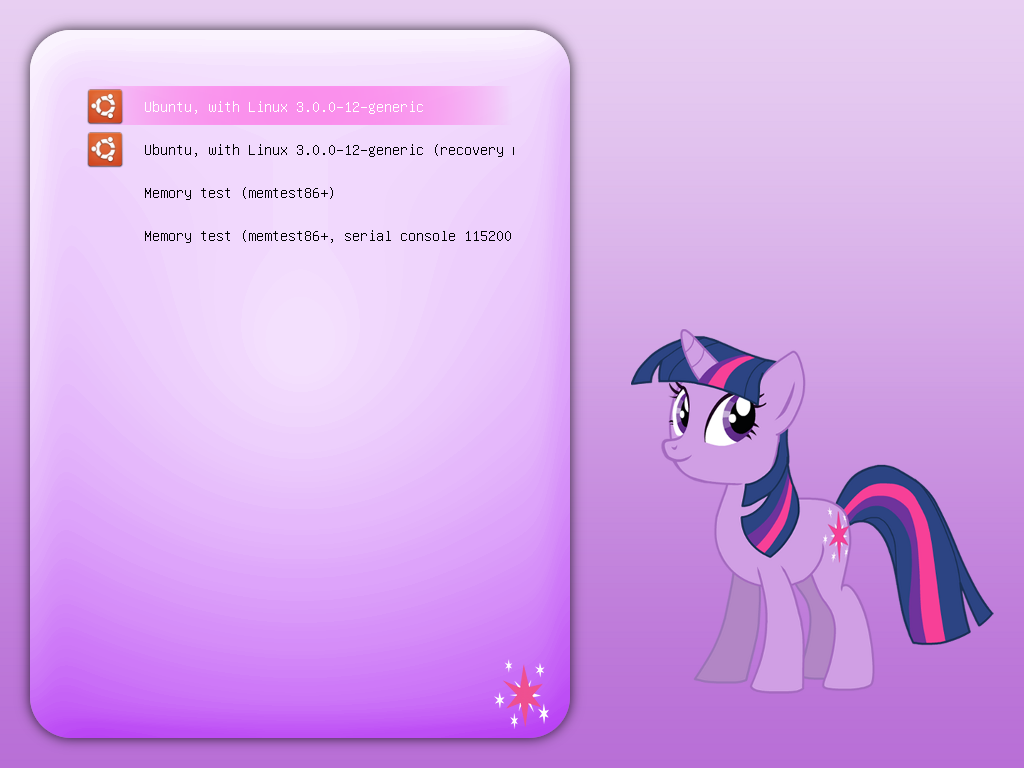](https://cn.pling.com/img//hive/content-pre1/148674-1.png)
So how do I do that? Where can I get started? Is there any documentation?
Not sure if this is related to the forum.
---
### Author:  [@jimmyc](https://forum.opendesktop.org/u/jimmyc)
#### Post date: [July 10, 2018, 3:24am UTC](https://forum.opendesktop.org/t/grub-themes-how-do-you-make-them-where-do-you-get-started/2157/2 "2018-07-10T03:24:02Z")
if you just want to change the background image of grub thats not to hard.
just go to /boot/grub2/ themes/ , in themes you should find a folder of your distrobutions name ,like suse
or something , in that folder you’ll find all the different parts that make the screen . one of which will be a
( png ) image of what ever grub is currently showing . also you should find a document that says ( theme.txt )
to change the display image ,simply put the image you want to display in the folder . the image size should be
around 1024 x 700 pixels or so . Next open the theme.txt with a text editor like kate or Vi , you will need root
privilages to save the edited text . when the theme.txt is open in your editor ,look for a line that says ,
desktop-image:PHOTO NAME.png ( PHOTO NAME ) will be the name of the image that is currently
being displayed . change that line to read your image file name , like little pink horse.png
ie. " desktop-image: “little-pink-horse.png”
save the file , close the editor and reboot. your new grub image should be displayed .
one more thing , make a backup of theme.txt before you change it . just copy it to a safe folder in your
home directory so that you can put it back if you want .
Hope this helps
---
### Author:  [@twily](https://forum.opendesktop.org/u/twily)
#### Post date: [July 10, 2018, 11:52pm UTC](https://forum.opendesktop.org/t/grub-themes-how-do-you-make-them-where-do-you-get-started/2157/3 "2018-07-10T23:52:08Z")
The background is pretty easy actually, but I wanted to know about the menu and selection like on this one it’s different than the regular one if you know what I mean. After some research I found that they’re called styled boxes. I think I probably found a way to do it like you must cut your box into parts and give them specific names, didn’t try it yet.